Novices, hobbyists, and professionals welcome
Photography and videography are now accessible to everyone with a creative flair (and a smartphone). Within Microsoft Store on Windows, you will find a myriad of apps that help you make your creative mark through the visual arts. Summer months offer fun in the sun and traveling adventures that deserve to be captured on film and shared with the world. But, as we start to slowly ease into the Fall months, Mother Nature takes the reigns and offers a bounty of opportunity to take advantage of Earth’s natural beauty mid-transition.
From heading back to school to the harvest of fruits and veggies associated with autumn, now’s the time to take advantage of nature’s backdrop. Plus, with family holiday gatherings, football tailgating parties, and Halloween shenanigans, the mix of red, orange, and brown leaves lend to some great shots as the sun sets.
This article showcases our most powerful photo and video editing apps. You’ll find that whether you’re new to the space or a professional editor seeking alternative solutions, Microsoft Store has you covered.
Photo editing
Luminar Neo
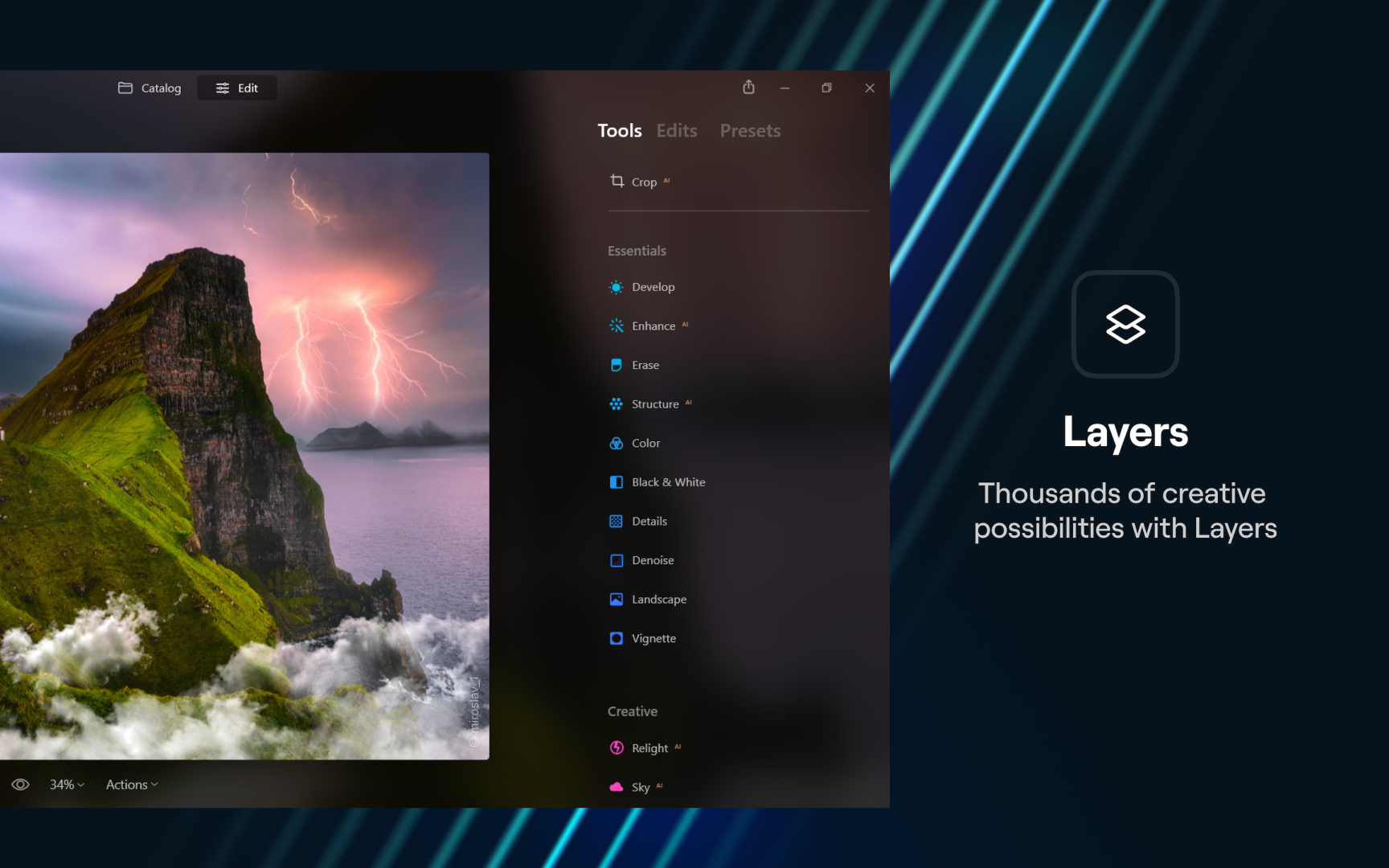
Who says the photo editing process can’t be fun? Luminar Neo infuses AI technologies to allow for flexible workflows and high-quality editing, leading to maximum performance and flexibility. This game changer offers an array of AI options such as Skin AI, which automatically detects and corrects skin imperfections. Meanwhile, the tool preserves pores, textures, and hair. With over a hundred powerful editing tools and features, its AI continues to turn heads.

Luminar Neo
Skylum Software USA, Inc.
Adobe Photoshop Elements 2022
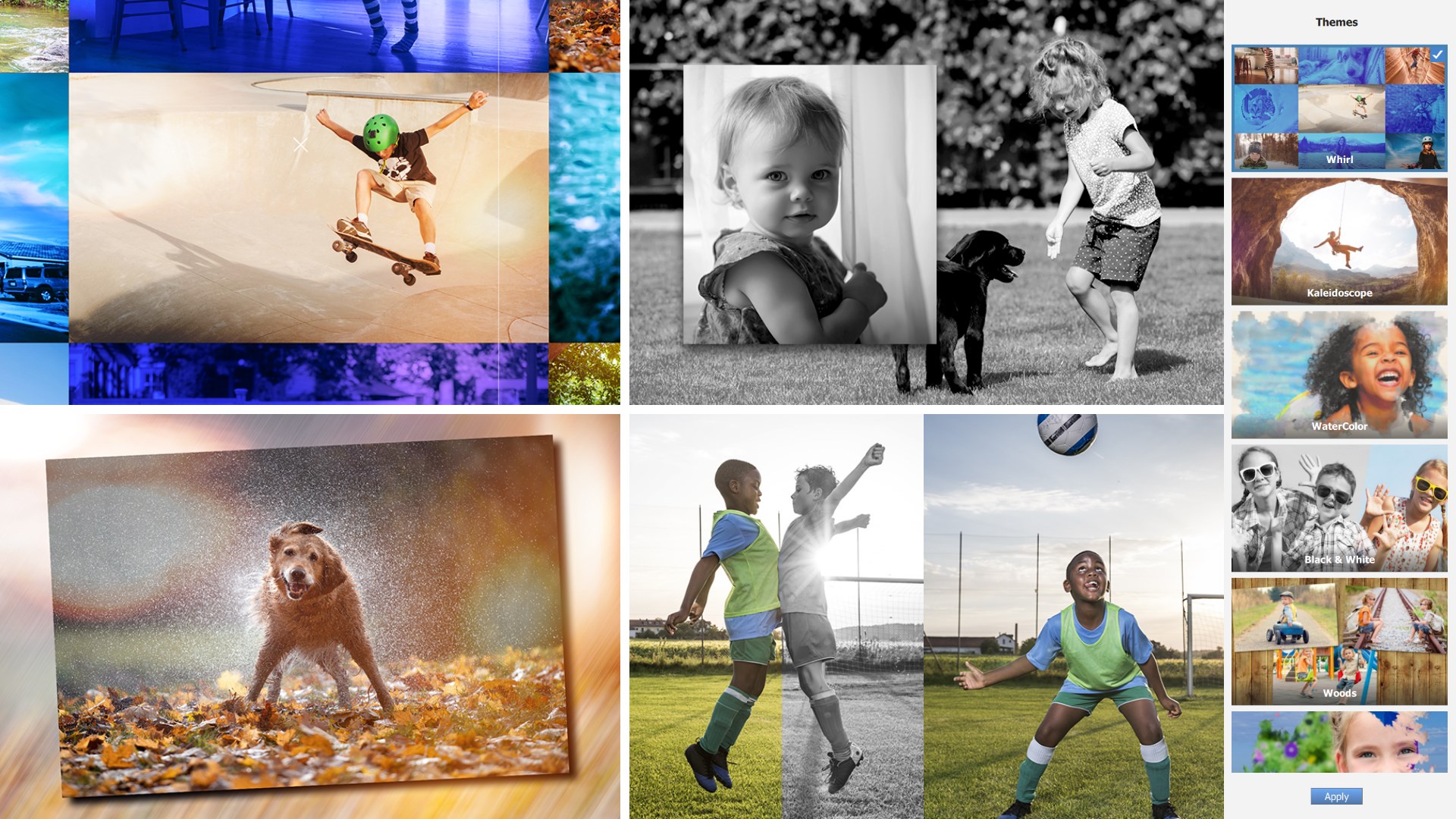
Your pictures take on a life of their own with Adobe Photoshop Elements 2022. With the added hyper boost of the app’s Adobe Sensei AI technology, you’ll go from a newbie to pro in no time. Turn your images into works of art in a snap. Regardless of intended shape, easily warp your pictures for the perfect coffee mug or keepsake. Learn as you go through the 60 Guided Edits, which move you through the process of creating your art-quality pieces and more.

Adobe Photoshop Elements 2022
Adobe Inc.
Fused : Double Exposure, Video and Photo Blender

Sometimes the perfect visual is a matter of blending two great images. Whether you want to mix videos, photos, or a combination of both, Fused is the app for you. Need inspiration? Check out the app’s Artists Collections to develop one-of-a-kind visuals by applying the work of emerging photographers and videographers. The ideas of your dreams are four simple steps away with this intuitive app.

Fused
EasyTigerApps
Affinity Photo

Geared towards the professional photo editing crowd, the developers of Affinity Photo pride themselves on pushing the boundaries to make the perfect editing tool through performance, power, and image processing capabilities. With its quality retouching/correction tools, advanced brush engine, and customizable effects, the app leaves no stone unturned. Create multi-layered compositions or raster paintings quicker and with all the tools you’ll need at hand.

Affinity Photo
Serif Europe Ltd
Adobe Lightroom

Embrace your inner photographer, then take comfort knowing that Adobe Lightroom is available to download. This cloud-based photography app lets you easily edit, organize, store, and share photos. Its simple interface lets you single out your subject, remove objects, and so much more. Take inspiration from the app’s community of professional photographers, who provide step-by-step tutorials as you figure out your own photography style. With its amazing searchable keywords and auto-tagging, you’ll allows find your growing collection of masterpieces.

Adobe Lightroom
Adobe Inc.
Video editing
ACDSee Luxea Video Editor 6

You need to produce content—and fast. ACDSee Luxea Video Editor 6 allows you to record for screen, webcam, microphone, or system audio with a simple click of the big red button. Don’t work harder. Worker smarter by developing and reusing customized templates so you can get straight to creating. Easily add visual and audio effects to guide your audience through your unique story. Being a creator has never been easier.

ACDSee Luxea Video Editor
ACD Systems International Inc.
Wondershare Filmora
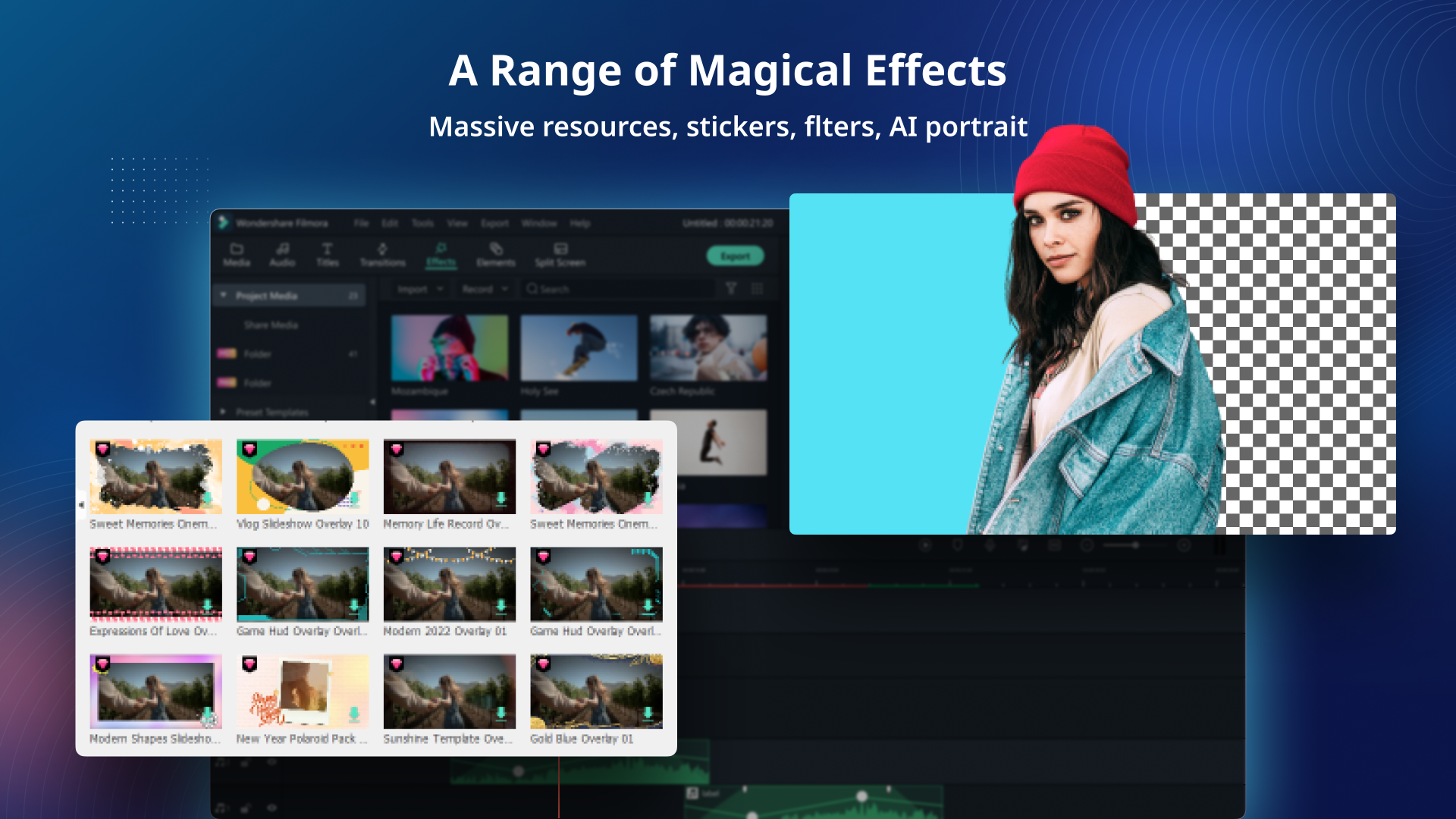
As you continue to grow your video editing skills, Wondershare Filmora is a great tool to try out advanced features that have been simplified and ramps up the fun factor. You can edit your imported video and audio within a magnetic timeline while applying an array of effects, titles, transitions, and music, while having a choice of working in light or dark mode. Plus, you can try out intuitive motion tracking.

Wondershare Filmora
WONDERSHARE GLOBAL LIMITED
FilmForth – FREE Video Editor & Movie Maker

Whether you’re a first-time vlogger or a game play content creator seeking to build an audience, FilmForth is an excellent addition to your arsenal of creative tools. The powerful, intuitive app is great for developing and editing videos and creating slideshows. Export any kind of video format for your favorite social platforms. Easily add transition effects, built-in music, voiceovers, text and more. Your audience awaits!

FilmForth
IOForth
Vega Video Editor
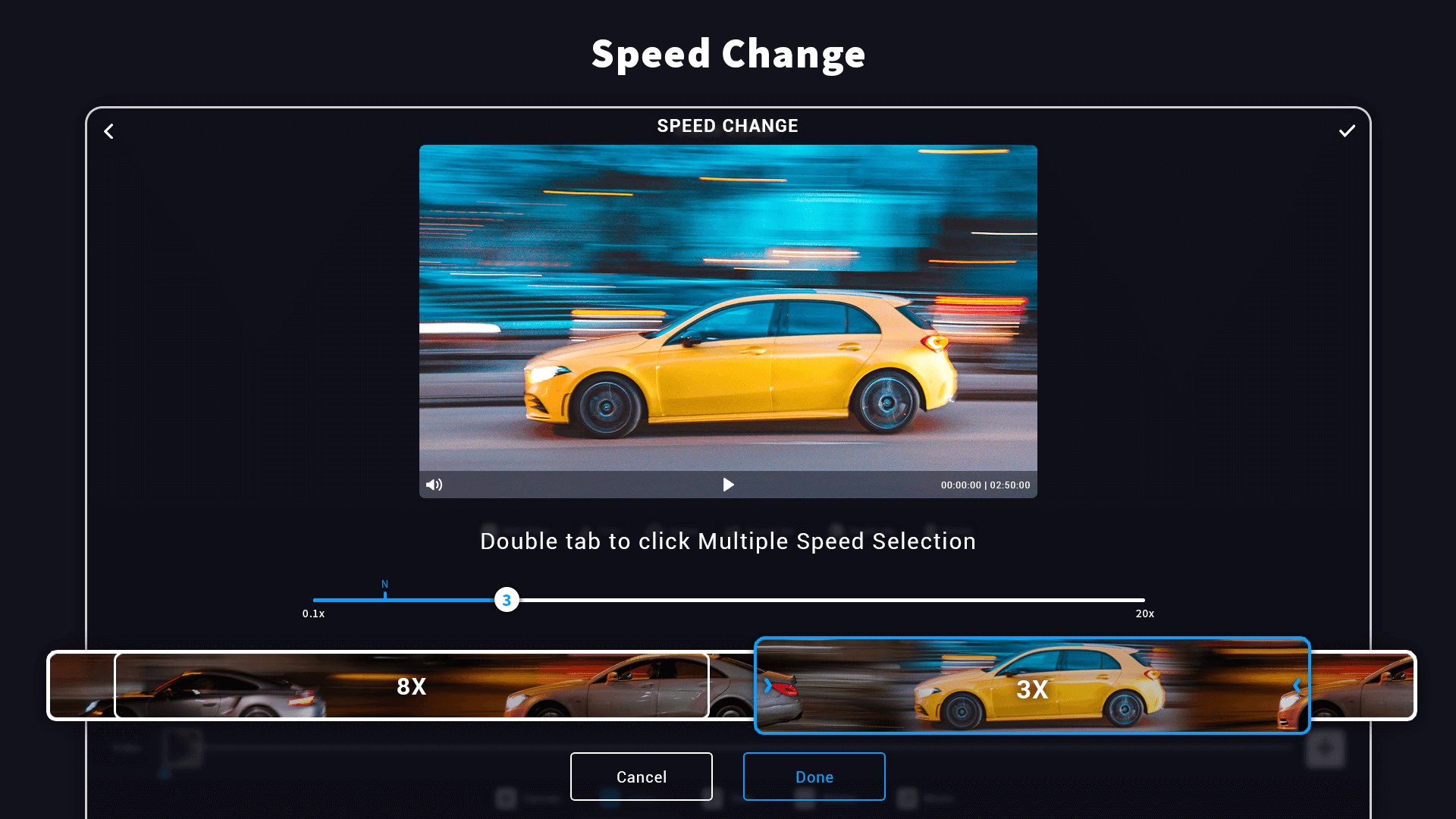
This all-in-one video editor turns your video clips to movies. Cut, split, trim, merge, and more. This app’s collection of professional features allows you to put your stamp on your creation by simply changing the speed, adding music, text/emoji overlays, and blurred backgrounds. With the varied parameters of social media platforms, Vega Video Editor allows you to easily create and adjust aspect ratios, while adding cool borders for that extra pop of branding. Vega Video Editor is simple for the beginner, yet powerful for the professional.

Vega Video Editor
Photo Cool Apps
Movie Maker – Video Editor PRO

Described as offering “focus-on-productivity and simple-to-use principles,” HD Movie Maker – PRO provides a mixture of both basic and advanced video editing features. Even if you’re new to video editing, now is the time to dabble in video overlays, green screen effects, and video stabilization. Yet, take comfort in knowing you can still trim and split your videos. With two modes of operation (i.e., movie project and quick tools), you’ll quickly get the hang of the app while you catch the attention of your audience on your chosen video platform. No school project is too small and no product demo video is too large with HD Movie Maker – Pro.

Movie Maker – Video Editor PRO
V3TApps